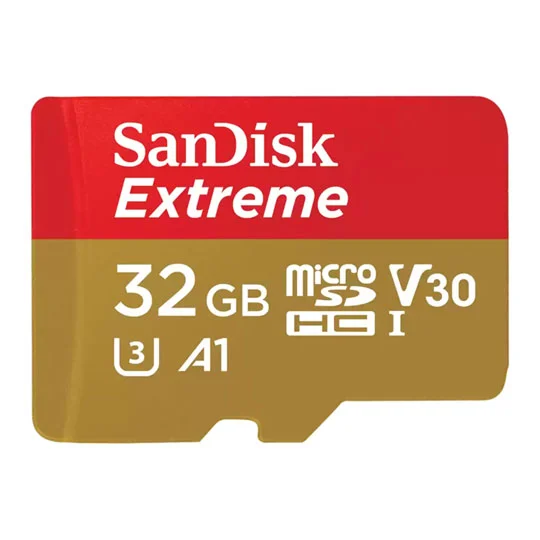
What SD card should you buy?
For most RomHaven players, a branded 128GB microSD card is the sweet spot. It is cheap, roomy, and big enough for GBA, SNES, Mega Drive, PS1, box art and save states without becoming silly overkill.
Best overall: Samsung EVO Select 128GB
Good price, reliable enough for ROM libraries, and easy to find on Amazon UK. Great for Miyoo Mini Plus, R36S and Anbernic devices.
Safe classic: SanDisk Ultra 128GB
The boring-but-good answer. Plenty fast for retro games, widely available, and a sensible replacement for stock cards.
Premium pick: Samsung PRO Plus 128GB/256GB
Overkill for GBA games, but nice if you copy lots of PS1, PSP-light, artwork or want faster transfer speeds from PC.
64GB vs 128GB vs 256GB
| Size | Best for | RomHaven verdict |
|---|---|---|
| 32GB | GBA-only library, a few SNES/Genesis games | Usable, but not worth buying new unless very cheap. |
| 64GB | Budget handhelds, GBA/SNES/PS1 starter library | Good budget pick for R36S or Miyoo Mini Plus. |
| 128GB | Most players, box art, save states, PS1 library | Best overall for almost every cheap handheld. |
| 256GB | Bigger PS1/PSP-light libraries, multiple firmware cards | Nice but optional. Not needed for Pokémon hacks. |
| 512GB+ | Large media/modern handheld collections | Usually overkill for the devices in this section. |
Best SD card setup by handheld
Anbernic RG35XX Plus / H / SP
Use the two-card setup if you can: smaller card for firmware, bigger card for ROMs. A 32GB or 64GB OS card plus a 128GB ROM card is clean and easy to recover.
- OS card: 32GB or 64GB
- ROM card: 128GB
- Best for muOS/KNULLI users
Miyoo Mini Plus
One-card setup is normal. OnionOS and your games live on the same card, so buy one decent 128GB card and keep a backup on your PC.
- One card: 128GB
- Format: FAT32
- Best firmware: OnionOS
R36S
Replace the stock card quickly. Many R36S problems are really bad-card problems: crashing, missing systems, corrupted saves, or games vanishing.
- Minimum: 64GB
- Best: 128GB
- Firmware: ArkOS-style setups vary by seller
TrimUI Brick / Smart Pro
A 128GB card is plenty for GBA, SNES, PS1 and lightweight N64. Go 256GB only if you want a chunky PS1 collection with artwork.
- Best: 128GB
- Premium: 256GB
- Avoid fake high-capacity bargain cards
How to prepare a new card
Back up the original card
Before changing anything, copy the original SD card to your PC. Even if the stock card is poor quality, it can contain useful BIOS, config or theme files.
Use a branded card reader
Cheap card readers can cause copy errors. A basic branded USB card reader is worth buying alongside your SD card.
Format correctly
Most simple handheld setups expect FAT32. Some firmware images are flashed directly with tools like Raspberry Pi Imager or balenaEtcher instead.
Copy games into the right folders
GBA hacks normally go into ROMS/GBA. NDS games go into ROMS/NDS if your firmware and device support them.
Test one game first
Before copying a giant library, test a known game like Pokémon Unbound or Gaia, save, shut down, boot again, and confirm the save still loads.
Common SD card mistakes
Keeping the no-name card forever
It might work for a week, then corrupt your save halfway through a 40-hour Pokémon run. Replace it early.
Buying fake 1TB cards
If a huge card is absurdly cheap, assume fake. Retro handhelds do not need a giant card anyway.
Copying everything before testing
Always test the firmware, one game, one save, and one reboot before filling the card.
No backup folder
Keep your ROM hacks, saves, BIOS/config and firmware downloads backed up on your PC or cloud drive.
SD card FAQ
Is 64GB enough for Pokémon ROM hacks?
Yes. GBA ROM hacks are tiny compared with modern games. 64GB is more than enough for Pokémon, but 128GB is usually better value.
Should I use the card that came with my handheld?
Use it only long enough to back it up. For long-term play, a genuine Samsung, SanDisk, Lexar or Kingston card is safer.
Do I need a fast U3/A2 card?
Not for GBA or SNES. Fast cards mainly help when copying files from your PC or running heavier systems. Reliability matters more than headline speed.
Can a bad SD card break saves?
Yes. Corrupted saves, missing games and weird boot issues are often caused by bad cards or bad card readers.