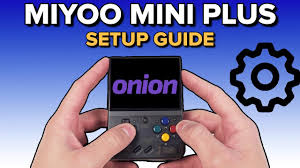
What you need for a clean Miyoo Mini Plus setup
The Miyoo Mini Plus is already a brilliant little GBA machine, but the stock setup is not the bit people love. The magic is OnionOS: clean menus, quick switching, reliable save states, game art, favourite lists and a much better day-to-day feel.
1. A branded microSD card
Use a 64GB or 128GB Samsung/SanDisk card. Avoid relying on the stock card for long saves.
2. A microSD card reader
You need this to copy OnionOS and ROM hacks from your PC to the card.
3. OnionOS download
Use the official OnionOS installation docs and releases, not random reuploads.
Step-by-step beginner setup
Back up the original card
Copy the contents of the original card to your PC before changing anything. It gives you a safety net if you need original BIOS/config files later.
Format your new card
Format the branded microSD card to FAT32. On Windows, large cards may need a FAT32 formatting tool rather than the built-in quick format option.
Copy OnionOS files
Download OnionOS from the official project, extract it, and copy the folders/files to the root of the microSD card.
Boot the Miyoo Mini Plus
Insert the card, power on, and let OnionOS install. Keep the battery charged while it finishes the first boot/setup.
Enable the systems you want
Use Package Manager to enable Game Boy Advance, Game Boy Color, SNES, Mega Drive, PlayStation and any other systems you actually need.
Add ROM hacks and refresh
Copy games into the correct folders, eject safely, boot the Miyoo, then refresh your ROM list if new games do not appear.
Where to put ROM hacks on OnionOS
OnionOS uses specific folder names. If your games do not show up, the file is often in the wrong folder or still inside a weird nested zip.
| System | Folder | Good for |
|---|---|---|
| Game Boy Advance | Roms/GBA | Pokémon Unbound, Radical Red, Gaia, Glazed, Emerald Rogue |
| Game Boy Color | Roms/GBC | Crystal hacks, Prism-style games, older Pokémon hacks |
| Game Boy | Roms/GB | Original Game Boy hacks and homebrew |
| PlayStation | Roms/PS | PS1 RPGs and classics, ideally in CHD format |
| SNES | Roms/SFC or Roms/SNES | SNES RPGs, platformers and hacks depending on Onion version |
Best settings for RomHaven Pokémon games
Use GBA as your main system
The Miyoo Mini Plus shines with GBA. Pokémon Unbound, Radical Red, Gaia, Glazed, Clover, Emerald Rogue and most RomHaven Pokémon hacks are a perfect fit.
Keep save states and in-game saves
Use normal in-game saves inside Pokémon, then use OnionOS save states as a safety backup. Do not rely on only one type of save for long runs.
Use integer scaling if you like crisp pixels
GBA games can look clean and sharp on the 640×480 screen. Try integer scaling or the default Onion settings and see which looks best to your eyes.
Add favourites
Long ROM lists get messy. Add your current run — like Unbound or Radical Red — to favourites so you can jump back in quickly.
Hotkeys and save habits
OnionOS is popular because it makes daily play frictionless. The exact shortcuts can vary by OnionOS version and settings, but the habits below are the ones that matter.
Sleep / resume
Use the device like a pocket RPG machine: pause, pocket it, resume later. Still do full shutdowns occasionally.
Save state before risky fights
Great for ROM hacks with difficulty spikes. Still use the game’s own save menu too.
Game Switcher
One of OnionOS’s best features. Jump between recently played games without digging through folders.
Common Miyoo Mini Plus fixes
Games not showing
Check the folder name, file extension, and whether you need to refresh ROMs. Also avoid dumping games inside double-nested folders.
OnionOS not booting
Recheck the card format, make sure Onion files are at the root of the SD card, and confirm your device firmware is compatible with the OnionOS guide.
Saves disappeared
Bad stock cards, unsafe ejects, and mixing save state/in-game save habits can all cause confusion. Use a branded card and back up saves.
Screen feels cramped
The device is small by design. For longer home sessions, the RG35XX Plus/H may feel more comfortable.
Miyoo Mini Plus FAQ
Is the Miyoo Mini Plus good for Pokémon ROM hacks?
Yes, especially GBA and GBC hacks. It is one of the best pocket devices for Pokémon Unbound, Radical Red, Gaia, Glazed and similar games.
Can Miyoo Mini Plus play NDS Pokémon hacks?
Not properly. Buy an RG35XX Plus/H, Retroid or other stronger device if NDS hacks matter.
Is OnionOS required?
No, but it is strongly recommended. The device works out of the box, but OnionOS is the main reason the Miyoo Mini Plus feels so polished.
What SD card size should I use?
128GB is the sweet spot. 64GB is fine for GBA-only players, while 256GB is only needed for bigger PS1 libraries.