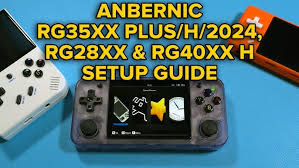
Quick answer: the clean RG35XX Plus setup
The short version if you just want the sensible path.
Use a fresh branded microSD card, keep the original stock card untouched as a backup, install custom firmware if you want the best long-term experience, then put your games into simple system folders like GBA, GB, GBC, PS or NDS depending on your firmware.
Best simple setup
One quality 128GB card with firmware and games together. Easy for beginners, enough space for GBA, SNES, Mega Drive, PS1 and selected NDS.
Best tidy setup
Two-card setup: smaller card for firmware, larger card for ROMs. Cleaner when you update firmware later.
Best firmware for tinkerers
muOS is fast, lightweight and popular on the RG35XX family. KNULLI is more console-like and EmulationStation-style.
Best first game test
Test with a GBA ROM hack first. Pokémon Unbound, Radical Red, Gaia and Emerald Rogue are ideal because GBA performance should be rock solid.
Before you start: what you need
A £60 handheld can feel brilliant — but only if the SD card side is sorted.
64GB is fine for GBA/SNES. 128GB is the sweet spot if you also want PS1 and NDS. 256GB is only needed for huge libraries.
A basic USB microSD reader is enough. Laptop built-in readers work too, but cheap USB readers are handy for quick copying.
You need a computer to copy files, flash firmware images, format cards and back up the original card.
Create a folder on your PC called RG35XX-Plus-Backup and copy the original card contents into it before editing anything.
Use a normal 5V USB-C charger. Avoid weird high-powered laptop chargers if the device behaves oddly while charging.
Use legally obtained game files and patched ROM hacks. This guide does not provide BIOS files, commercial ROMs or copyrighted game packs.
Step-by-step RG35XX Plus setup
The simple path from boxed device to playable library.
Turn it on once before changing anything
Check the screen, buttons, speaker, charging and D-pad. Launch a game if one is already on the card. This confirms the device itself works before you blame firmware.
Back up the stock SD card
Insert the card into your computer and copy every visible folder to a safe backup folder. Do not rely on the included card long-term, but keep it as a recovery option.
Choose one-card or two-card setup
One card is easier. Two cards are tidier: TF1 for firmware, TF2 for ROMs. The RG35XX Plus supports dual microSD slots, so either approach works.
Install firmware or stay stock
Stock is usable. Custom firmware usually gives a cleaner menu, better emulator defaults, themes, easier scraping and more control.
Add your ROM hacks
Copy GBA games into the GBA folder and NDS games into the NDS folder. Keep filenames clean: no giant punctuation mess, no duplicate versions, no zip-within-zip chaos.
Test saves before a long run
Start a game, make an in-game save, make a save state, exit, reload and confirm both work. This five-minute test saves heartbreak later.
Stock firmware vs muOS vs KNULLI
There is no single perfect answer — pick based on how you actually play.
| Firmware | Best for | Why use it | Watch out for |
|---|---|---|---|
| Stock OS | Fastest first play | Already installed, easiest for absolute beginners, enough to test the device. | Interface can feel rough, stock SD cards are often weak, updating can be messy. |
| muOS | Speed and simplicity | Popular lightweight custom firmware for RG35XX family devices. Great if you want quick booting and a clean games-first setup. | Less flashy than EmulationStation-style frontends; you still need to learn folders and emulator settings. |
| KNULLI | Console-style frontend | EmulationStation/Batocera-style feel, nice scraping/presentation, strong if you want box art and a living-room style library. | Can be more setup-heavy; features and device builds change, so follow the current official install page. |
| GarlicOS 2.0 | Garlic fans and experimenters | Familiar name from the original RG35XX scene and useful to keep an eye on. | On Plus-family devices, many players prefer muOS or KNULLI as the everyday recommendation. |
Where to put GBA, NDS and PS1 games
Folder names vary slightly by firmware, but this is the idea.
GBA ROM hacks
Put .gba files in the GBA folder. This is where Pokémon Unbound, Radical Red, Gaia, Glazed and most RomHaven Pokémon hacks belong.
GBC / GB games
Use GB and GBC folders for older Pokémon hacks, Crystal-style projects and classic Game Boy titles.
NDS games
Use the NDS folder for Nintendo DS games. The RG35XX Plus can handle lighter NDS, but screen layout and touch-heavy games are not always ideal.
PS1 games
Use the PS, PSX or Playstation folder depending on firmware. For multi-disc games, check your firmware’s preferred format.
A tidy ROM card might look like this:
/ROMS
  /GBA
    Pokemon Unbound.gba
    Pokemon Radical Red.gba
    Pokemon Gaia.gba
  /GBC
    Pokemon Prism.gbc
  /NDS
    Pokemon HeartGold.nds
  /PS
    Final Fantasy VII.chd
Best Pokémon ROM hacks to test first
These are great first tests because GBA should feel smooth and responsive.
Saves, save states and hotkeys
Do not trust a long RPG run until you test saving properly.
Use the game’s own save menu. This is the safest long-term save method for Pokémon ROM hacks.
Save states are brilliant for bosses, shiny hunting and quick pauses, but do not replace proper in-game saves.
Useful for Pokémon grinding, egg hatching and repeated trainer battles. Keep it reasonable or audio can get messy.
Learn the frontend menu shortcut early so you can quit games, change settings and swap systems without hard-powering off.
Before starting Unbound for 30 hours, save, quit, restart and reload. Boring test, massive peace of mind.
Every few weeks, copy your saves folder to your computer. Tiny job, huge win if a card dies.
Common RG35XX Plus problems and fixes
The usual gremlins, sorted without panic.
My ROMs are not showing up
Check that the files are in the correct system folder, not inside an extra nested folder. Refresh the game list if your firmware has that option. Avoid unusual characters in filenames.
The device boots to a black screen
Try the stock card again to confirm the device still works. If stock boots, your new firmware image or SD card prep is the problem. Re-flash the card and make sure you used the correct RG35XX Plus build.
Games launch but controls do not feel right
Open the emulator/RetroArch input menu and check core mappings. Some arcade or computer systems need manual mapping, but GBA and SNES should usually work immediately.
My saves disappeared
Check whether you used save states, in-game saves, or both. Also check whether you swapped firmware or cards without copying the saves folder across.
NDS games feel awkward
That is normal. The RG35XX Plus can run some NDS games, but it has one small 4:3 screen and no touch screen. GBA is where this device feels strongest.
Charging is weird
Try a basic 5V USB charger and a known-good USB-C cable. Some retro handhelds behave better with simple chargers than high-powered laptop bricks.
RG35XX Plus setup FAQ
Fast answers before you start copying 600 games you will never play.
Is the RG35XX Plus good for Pokémon ROM hacks?
Yes. For GBA Pokémon ROM hacks it is excellent. The 3.5-inch 640×480 screen, D-pad layout and performance are a strong match for Pokémon Unbound, Radical Red, Gaia, Glazed and similar games.
Should I replace the SD card?
Yes. The included cards are often the weakest part of cheap handhelds. Use a brand-name card and keep the original as a backup.
What size SD card should I buy?
64GB is enough for GBA-focused use. 128GB is the best value for most players. 256GB is only worth it if you plan to add lots of PS1 and other disc-based games.
Can the RG35XX Plus play NDS Pokémon games?
It can run lighter NDS games, but it is not the perfect NDS experience because the device has one small non-touch screen. For GBA hacks, it is much better.
What firmware should I use?
Stock is fine to test the device. muOS is a strong everyday custom firmware choice for many RG35XX Plus owners. KNULLI is good if you prefer an EmulationStation-style frontend.
Can I use RomHaven games on it?
RomHaven lets you play online in your browser. For offline handheld play, you need your own legally obtained/patched ROM hack files and then copy them to the correct folder on your SD card.
Need games for your new handheld?
Browse RomHaven’s Pokémon ROM hack library, test games online first, then build your offline handheld shortlist.